

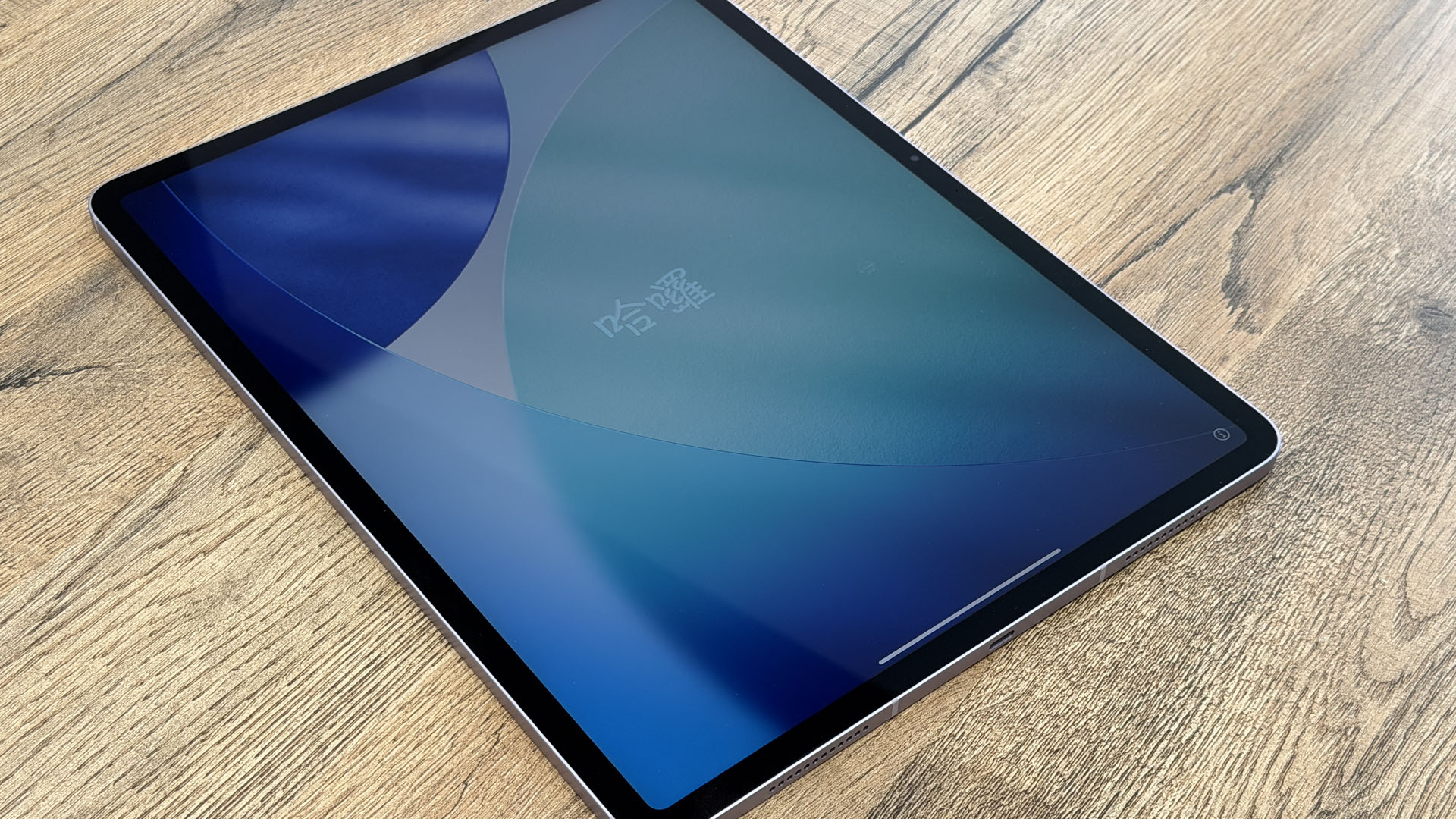
APPLE has dished out another ultra-powerful tablet that could replace your old iPad and even your laptop – and I’ve been testing it out.
The new M4 iPad Air is an absolute beast and beautiful to boot, but is it right for you? Well there are cheaper options that could serve you better.
Last week’s iPad Air upgrade was easy to miss amid all of the hype over Apple’s cheap new iPhone 17e and MacBook Neo – both of which cost just £599/$599.
But it shouldn’t be ignored. This is one of the best tablets on the market, and could be your dream device.
I’m going to be upfront: not a lot has changed for this upgraded model versus the 2025 unit.
iPad Air M4, £599
Read more on Apple reviews
And honestly, that’s fine. The iPad Air was already exceptionally strong, and it’s now even better.
I’ll explain what’s new, but it’s worth noting that you’re probably not upgrading from the old iPad Air anyway.
So I’ll also give you a rundown on how the iPad Air works, and who it’s really for.
Let’s start with what’s new.
The big upgrade is the processor.
If you’ve followed the world of Apple in recent years, you might have heard of M-series chips.
Back in the day, Apple laptops used to ship with Intel processors.
But in 2020, Apple debuted its own M1 processor on the MacBook Air, and these high-flying chips have been a smash-hit ever since.
In fact, they proved so effective that Apple even started putting these powerful computer chips in its iPad models.
Last year’s iPad Air came with the M3, and the new iPad Air sports the M4. We’re up to M5 on the MacBook and iPad Pro now, but the M4 is still an absolute beast.
So what does that actually mean?
I mean there are a load of stats that Apple reels off.
You’ve got 30% faster performance versus the M3, with M4 being 2.3x speedier than the M1.
It delivers faster regular compute as well nippier graphical processing.
And the RAM – which is the speedy memory used for active tasks – rises from 8GB to 12GB.
All this means that the iPad Air functions far better as a work machine.
You’ll find that it’s more capable at video editing, or processing large images – and gaming gets a boost too.
Of course, some people will still want an iPad Pro for maximum power.
But with a starting price of £599, the iPad Air delivering this kind of performance is hard to knock.
That’s not the only chip tweak however.
Apple has also bundled in its own connectivity chips.
You’ve got its new N1 chip for Wi-Fi and Bluetooth, and then its C1X modem for cellular connectivity.
Both of these serve up speedier connections, which is handy given that the iPad Air is a portable device you’ll likely be lugging out and about.
And that’s about it in terms of upgrades from 2025.
Now on to what’s staying the same.
From the outside, the new iPad Air is basically identical to the old one. Don’t fix what isn’t broken.
It comes in two screen size options: 11 inch and 13 inch.
If you’re at all considering using this for productivity, I would go for the bigger model.
But if you’re more interested in having a handy portable tablet, the 11 inch will probably be fine.
It’s packed into a pleasant aluminium shell that keeps the laptop looking premium.
And it comes in four very attractive colour options: Blue, Purple, Starlight and Space Grey.
APPLE IPAD AIR (M4) – BY THE NUMBERS
Here’s what you need to know…
Display options: 11-inch or 13-inch Liquid Retina IPS display (264 ppi)
Processor: Apple M4 chip
Performance: 30% faster than M3; 2.3x faster than M1
Memory (RAM): 12GB
Storage: 128GB, 256GB, 512GB, or 1TB
Rear Camera: 12MP Wide (4K video at 60 fps)
Front Camera: 12MP with Centre Stage
Connectivity: Wi-Fi 6E/Bluetooth (N1 chip), optional 5G Cellular (C1X modem)
Security: Touch ID fingerprint sensor
Charging: USB-C
Software: iPadOS 26
Colours: Blue, Purple, Starlight, Space Grey
Starting Price: £599 / $599
I personally quite like the blue option, but they are look very nice.
The display is beautiful.
With either option, you’re getting 264 pixels per inch of screen, on an LED-backlit Liquid Retina IPS display.
The larger model can go slightly brighter to 600 nits (up from 500 nits), which isn’t a huge difference.
You’ve got a 12-megapixel selfie camera for video calling.
And it uses Apple’s Centre Stage tech to keep you in frame at all times, even if you’re moving around.
There’s also a 12-megapixel wide camera on the back that can record 4K video at up to 60 frames per second.
The pics are perfectly fine for a tablet, though it’s unlikely that you’ll be using this as your main snapper anyway.
The base model only supports Wi-Fi.
But you can get a cellular version with support for an eSIM if you want internet on the move.
For storage, both models start at 128GB and can be upgraded (for a fee) to 256GB, 512GB, or 1TB.
The storage option you choose really depends on your personal preference.
If you’re using this for video editing or want to install loads of games, you’ll need more space.
But if this is just for documents, drawing (with an Apple Pencil), and watching telly, you’ll be fine with a lower storage configuration.
It’s worth mentioning that the iPad Air still charges via USB-C.
That’s the newer cable that you’ll have noticed has been popping up everywhere in recent years.
Most new consumer electronics support this cable, so you shouldn’t have any problems with it.
And lastly, it runs on Apple’s latest iPadOS 26.
This is sort of a halfway house between iOS (iPhone) and macOS (Mac), though it’s far more like the former than the latter.
It borrows some of the multitasking that you might find on a Mac.
But largely, it’ll be much more familiar as an experience to an iPhone owner.
You get access to the Apple App Store, so you can snap up apps and games just like usual.
The main downside for an iPad owner doing work is that you might not be able to get some specialist software that might otherwise be available on a Mac or Windows laptop.
But generally there’s an app for everything these days.
Sign up for The Sun Tech newsletter for gadgets, games & more

Hello! I’m Sean Keach, The Sun’s Head of Technology and Science
I’ve been writing about gadgets, games and the future of technology for more than a decade.
During that time I’ve penned thousands of articles, filmed hundreds of videos, talked tech on TV and radio, and travelled around the world to bring you the latest on Apple, Meta, Google, Amazon, Netflix and more.
And I’ve got a weekly newsletter called The Sun Tech that you can read for free every Thursday.
I bring you the latest from the world of tech, including behind-the-scenes action, exclusive content, expert analysis, and plenty of help advice – so please follow along!
I should mention two main accessories that you might want to consider with the iPad Air.
The first is the Apple Pencil, which is effectively a very nice stylus.
You can use either the regular USB-C Apple Pencil or the Apple Pencil Pro with this iPad.
It’s probably not worth getting the Pro unless you’re planning some serious artwork, as it starts at £129/$129.
The regular Apple Pencil might be a more sensible buy at £79/$79 if you just want to dabble.
The second is arguably more essential.
It’s called the Magic Keyboard, and it starts at £269/$269 for the 11-inch model and £299/$319 for the 13-inch.
This keyboard effectively functions as a case, and then flips the iPad Air up into a hovering position using magnets.
The keyboard is fairly lightweight, very easy to use, and really transforms this into a proper laptop rival.
Without a keyboard, it’s harder to justify calling this a work device – unless your work doesn’t really involve typing.
But even tattoo artists who spend a lot of time sketching might still want a keyboard for managing clients, for instance.
So it’s up to you, but I’d really recommend forking out for the keyboard if you’re buying an iPad Air. It makes more of a difference to the experience than almost any other Apple accessory.
SHOULD YOU BUY THE IPAD AIR M4?
So is this the iPad for you? Well, maybe.
For people who just want a simple tablet, the regular iPad is brilliant and far cheaper at £329/$349.
And if you need max performance for hardcore work, the M5 iPad Pro starts at £999/$999.
The iPad Air sits in the middle as a nice jack-of-all-trades option.
It’ll breeze through your leisure activities without bother, and is capable of plenty of work too.
There are a couple of potential downsides.
The iPad Air still only offers Touch ID fingerprint scanning and not Face ID.
I don’t particularly mind, and many users won’t care – but if you really want Face ID, you’ll need the iPad Pro.
As well as that, I think a lot of people who want this for productivity will need the Magic Keyboard as an add-on.
I get why it’s not included, as plenty of iPad owners won’t care and would rather have the tablet as a cheaper standalone option.
But just factor the keyboard in when you’re weighing up costs versus laptops, as it makes a big difference.
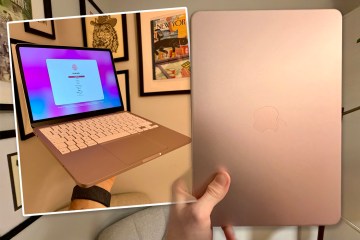
And perhaps making matters more complicated is the recent launch of the MacBook Neo.
APPLE IPAD AIR M4 – PROS & CONS
Pros:
- Sharp and colourful screen
- Beautiful design
- Great range of colours
- Solid storage options
- Generous RAM
- Exceptional processor
- Good value pricing for performance
- Easy and familiar software
- Lots of accessories available
Cons:
- No Face ID
- Magic Keyboard will be a must-have for many
- Stiff pricing competition from MacBook Neo (if weighing up against laptops)
It starts at £599/$599, and is Apple’s cheapest laptop ever (and includes a built-in keyboard, naturally).
This might suit you better if you’d rather have a true laptop experience. It really is an incredible laptop, and will be a better buy for some people.
But it obviously doesn’t have touchscreen support (and thus no Apple Pencil), and can’t function as a pure tablet in the way that an iPad can.
Sometimes all you want and need is a screen – and the iPad ticks that box in ways a MacBook never can.
The Sun says: A stunning and portable laptop that’s packed with more power than you’ll likely ever need. It’s the best option for a work-and-play tablet – but the keyboard is almost a must-have accessory.
iPad Air M4, £599
The Sun tested the 13-inch iPad Air M4 with 1TB of storage and cellular connectivity.
All prices in this article were correct at the time of writing, but may have since changed.
Always do your own research before making any purchase.