
WHILE you’ve had your eyes glued to the TV, Sky has been quietly adding telly features in the background.
The broadcasting giant has rolled out a load of special features to your Sky TV that you might have missed this year.
Here’s a round-up of some of the best new additions to try out today.
1. REMINDER NOTIFICATIONS
First up, you can finally get Reminders notifications on Sky Glass and Sky Stream.
It should save you from missing that TV show that you’ve been desperate to watch.
Just go to a TV show’s page and press the new “Set A Reminder” button.
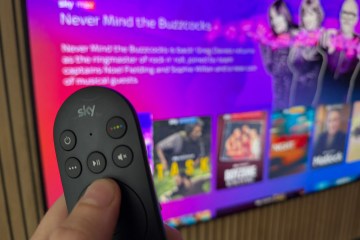

That will add the TV show to your Reminders list (which you can edit at any time).
Then just before one of your Reminder shows begins, you’ll see a pop-up at the top of the screen.
2. NETFLIX GAMES
This one wasn’t technically added by Sky, but it’s newly available to Sky customers.
If you’re a Sky TV viewer then you’ll probably know that you get free Netflix bundled in with your subscription.
Most read in Phones & Gadgets
Well just a few weeks ago, Netflix added a load of Game Night party games that you can play.
They’re free as part of your subscription, and they’re multiplayer titles meant to be enjoyed as a group.
You all log on and use your smartphones as game controllers, letting you play fun virtual titles like Pictionary and Boggle.
It’s a great alternative to board games – just head into the Games section of the Netflix app to find them.
3. FREE SECOND REMOTE
Sky Q customers have had this for a while now, but it’s finally available to Sky Glass and Sky Stream users (since late 2025).
We’re talking about the virtual TV remote that you can access via a phone or tablet.
The app-based remote is a lifesaver for several reasons.
Firstly, if you’ve lost your actual remote, it can save the day.
And it can resolve arguments about who gets to hold the TV remote. Everyone can!
You can use it to:
- Navigate left, right, up and down, as well as an OK button
- Pause and play button
- Home button
- On / Off button
- Interactive button
- Channel number entry
- Settings button
- Button to full settings page
- Back button
- Add to playlist button
You can find it on the iOS App Store for iPhone as well as the Google Play Store for Android.
HOW TO SEARCH WITH SKY VOICE REMOTE

Here are some easy commands to try out…
Search for specified movie – “[Movie title]”
Search for specified programme – “[Programme title]”
Search for content which stars specified actor – “[Actor name]”
Search for content directed by specified director – “[Director name]”
Search for movies within specified genre – “[Movie genre]”
Search for sport content within specified genre. Genres include football, F1, Rugby Union, Cricket, and Rugby League – “[Sport genre]”
Search specific channel – “[Channel name]”
Search for movies with a specific star rating – “[x] star movies” “movies rated [x] stars”
Search for content with specified picture format. Picture format includes SD, HD, and Ultra HD – “[Picture format]”
Search for sports, teams or competitions – “[Sport Name]”, “[Team Name]”, “[Competition Name]”
For iOS click here, and for Android click here.
Just remember to make sure that your phone is on the same Wi-Fi network as your Sky Glass or Sky Stream.
4. FAST SETTINGS ACCESS
This one isn’t the world’s mind-blowing trick, but it is useful.
It’s now much easier to get to the Settings menu, which was previously tucked away behind a lot of scrolling.
Instead, hit the three dots on your Sky remote to bring up the quick menu.
Then simply scroll right and you’ll find Settings in no time.
5. ACCESSIBILITY TRICKS
Sky also added a few accessibility tricks in 2025.
These are meant to make life easier for people with accessibility needs, but anyone might find some of these useful.
They include:
- High Contrast Mode: A high-contrast mode that should make interface elements easier to see
- Magnification Mode: You can zoom in to 400% on the interface
- Voice Guidance: It now has different speed options
- Audio Description: You can now get Audio Description for on-demand content (it was already available for Sky broadcast channels)
You can find them inside the Sky Accessibility menu inside Settings.
More tricks for your Sky remote
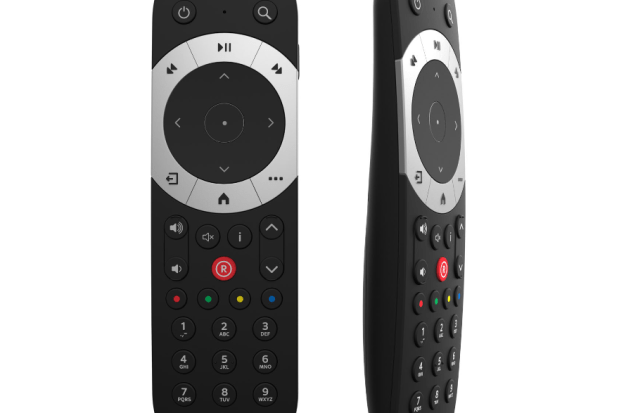
Try a whole host of Sky tricks to take your TV to a whole new level.